How does Tether Data compare to Fishbowl for demand and supply planning?
Tether covers the supply chain from demand forecasting to fulfillment. That includes supply planning, purchase orders, inventory, and production. Fishbowl is inventory and manufacturing software. Tether can replace Fishbowl or run on top of it as the planning layer.

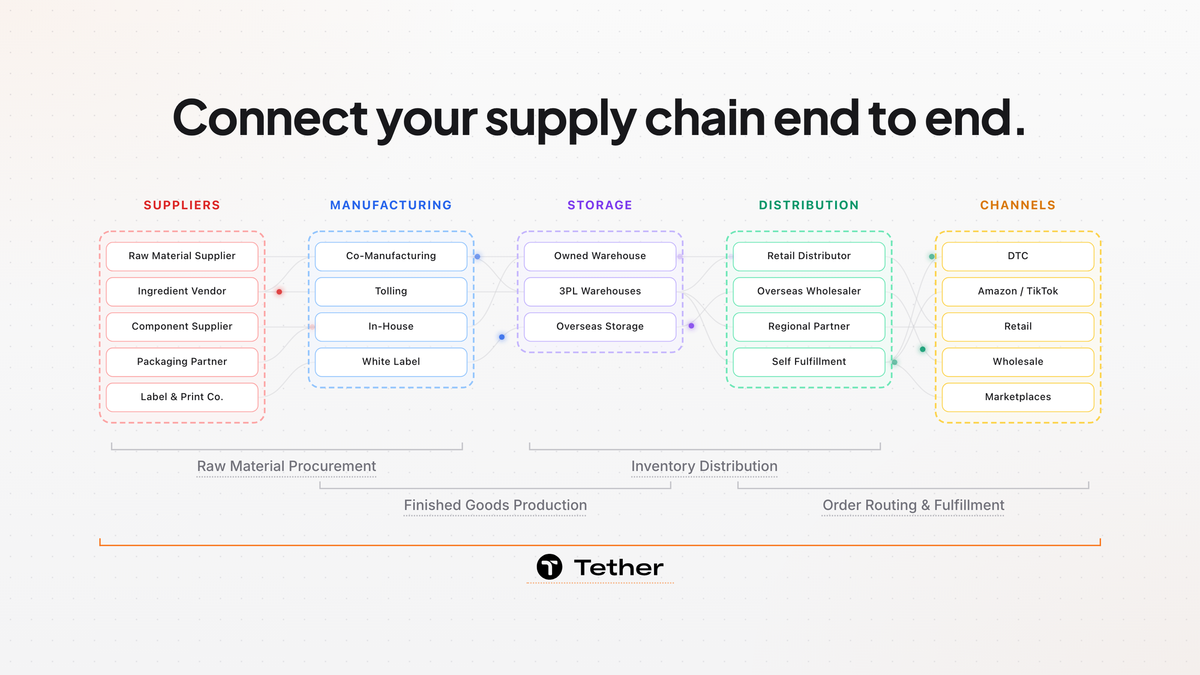
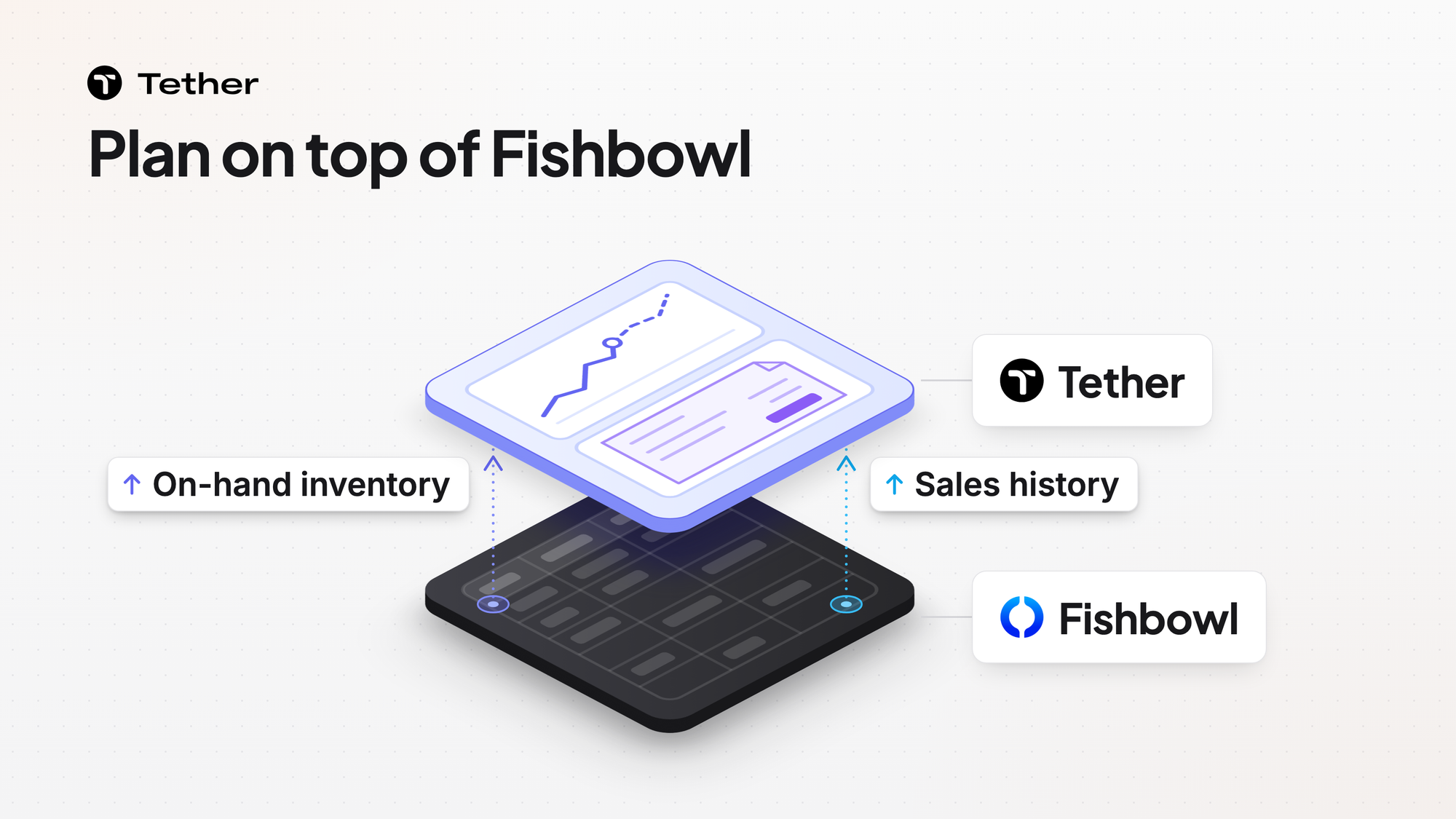
Tether covers the supply chain from demand forecasting to fulfillment. That includes supply planning, purchase orders, inventory, and production. Fishbowl is inventory and manufacturing software. Tether can replace Fishbowl or run on top of it as the planning layer. In that setup Tether reads on-hand inventory and shipped sales history from Fishbowl and adds demand and supply planning.
Fishbowl is good at what it sets out to do. It keeps real-time counts at every location, covers reorder points and purchasing, and runs pick, pack, and ship by scan. Its Advanced Manufacturing product adds MRP, routing, and lot genealogy. Some Fishbowl plans add demand forecasting too. Where we see teams get stuck is the planning around all of that. Someone has to turn a forecast for every sales channel into what to buy, when it has to land, and where it should sit. A lot of the teams we talk to still plan what to buy in a spreadsheet next to their inventory system. That is not specific to Fishbowl.
How do Tether and Fishbowl compare side by side?
Fishbowl and Tether both manage inventory. Tether goes beyond that in some areas and the table shows which.
| Fishbowl | Tether | |
|---|---|---|
| Demand forecasting | An optional add-on. | A built-in module that works with the rest of Tether. It forecasts each SKU in each sales channel. |
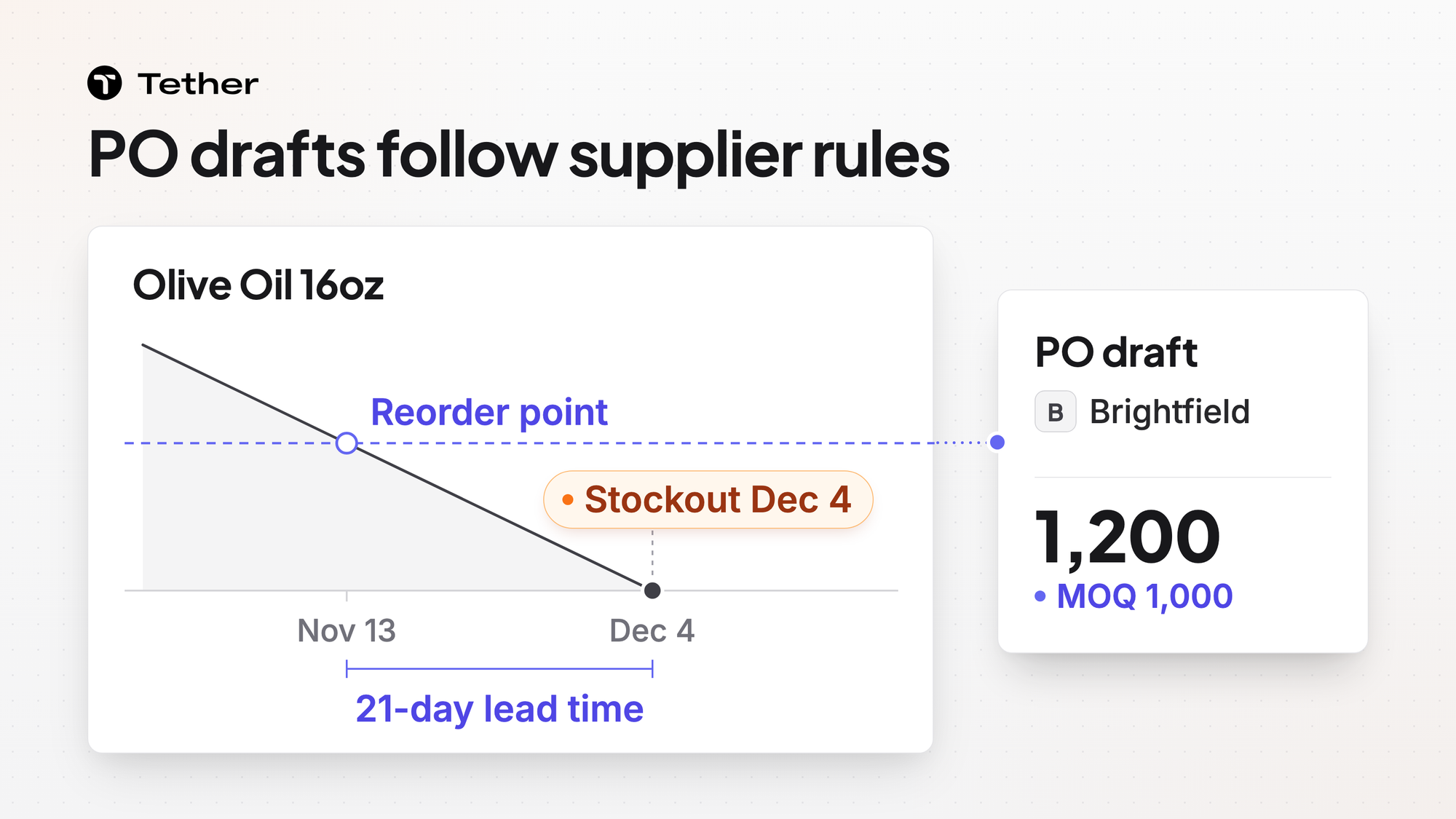
| Purchasing | Covers reorder points and purchasing. Its forecasting helps draft purchase orders. | Tether AI drafts purchase orders. Drafts appear when coverage hits your reorder point and Tether respects MOQs, lead times, batch sizes, and pallet counts. |
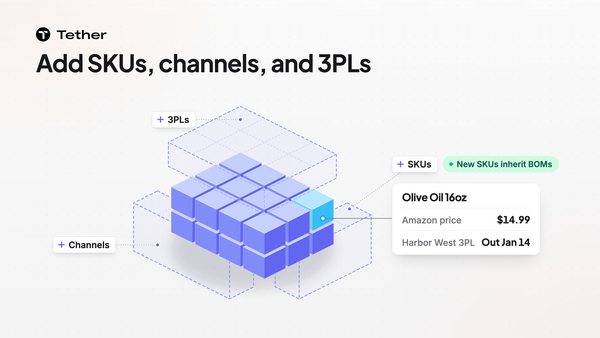
| Inventory and warehouses | Tracks stock at every location and moves it between sites. | Manages inventory directly and takes manual entries and adjustments. It also unifies your own warehouses and 3PLs into one stock view. |
| Sales channels | Lets you sell on Shopify, Amazon, and your own store from one count. | Takes and fulfills orders from Shopify, Amazon, TikTok, Walmart, and wholesale EDI. Lists 260+ integrations. |
| Reporting | Lists advanced reporting on the Scale plan and custom reports as an add-on. | Tether AI builds a custom report with tables and charts on request and reruns it on a schedule. |
| Manufacturing | Fishbowl Advanced Manufacturing adds MRP, routing, and lot genealogy. | Calculates raw-material needs, tracks components and BOMs, and manages production orders. |
| Warehouse floor | Runs pick, pack, and ship by scan. | Runs pick, pack, ship, and scan. It also connects to the 3PLs and warehouses you already use. |
| Accounting | QuickBooks or Xero stays your accounting system. | QuickBooks and Xero integrations are coming soon. So are Tether's finance and accounting features. |
| Setup | Fishbowl Inventory is cloud software and Fishbowl Advanced lists cloud hosting as included with flexible deployment available. The Windows setup steps for Fishbowl Advanced have you install the Fishbowl Server on a computer running MySQL 8. | Tether is cloud software with nothing to install. Teams get started in weeks, not months. |
Fishbowl details come from Fishbowl's own home, pricing, product, and setup pages as read in November 2026. Demand forecasting is an add-on on Fishbowl's Growth plan and included on its Scale plan.
Bring us the row that looks wrong for how you run Fishbowl and we will go through it with you.
Which one fits your operation?
For some teams Fishbowl is the better pick. We would rather tell you that now than after a sales cycle.
Stay with Fishbowl if one of these sounds like you.
- You run one stockroom and one storefront. Fishbowl's entry plan is aimed at that setup.
- Your team is small. Fishbowl Inventory plans come with 2, 5, or 10 users included.
- You have a dedicated team in Fishbowl every day and it does what they need.
- You run regulated or multilevel production and need routing and lot genealogy. Fishbowl Advanced Manufacturing has both.
Look at Tether if one of these sounds like you.
- Your team is growing and inventory management is no longer the whole job. You need demand and supply planning as well.
- You want purchase orders and inventory in one system without taking on an ERP project.
- You want AI to do the drafting. Tether AI drafts purchase orders for your team to place and builds reports that rerun on a schedule.
- You want your Amazon and TikTok stock in the same view as your warehouses.
- You want to keep Fishbowl for now because there is no time or appetite to move yet.
Tell us how your team runs today and we will tell you which list you are on even if it is the first one.
Can Tether run on top of Fishbowl?
Tether connects to Fishbowl and adds demand and supply planning on top.
We compete with Fishbowl on inventory and we also integrate with it. If you already run Fishbowl and do not want to get off it you can skip our inventory features and use Tether for planning. Your team knows Fishbowl and we would rather build on that than ask you to replace it.
The connector reads on-hand inventory by location group and shipped sales history by SKU. It is read-only and writes nothing back to Fishbowl. Our team sets up the connection with you.
Purchase orders can live in either system. You can place and track them in Tether or take Tether's drafts and enter them in Fishbowl. We agree that split with you during onboarding.
How does Tether handle demand and supply planning?
Tether handles them as two modules that work together. If you keep Fishbowl these two modules are what you add.
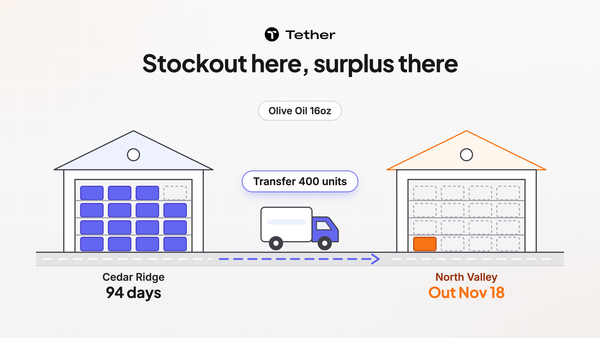
Demand Planning forecasts each SKU in each channel. Supply Planning recommends reorders and transfers per SKU and per warehouse. We built the two to sit together because the forecast is there to feed the supply plan.
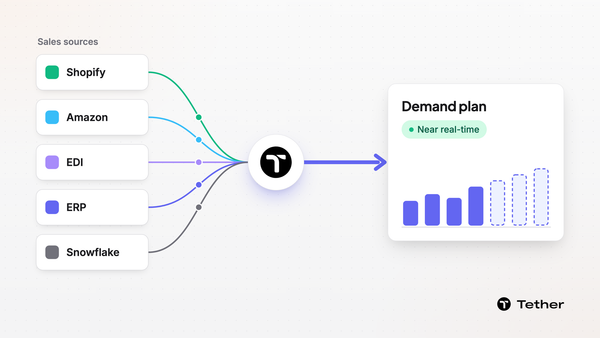
Demand Planning builds the forecast from the sales data you already have.
- Pulls sales from Shopify, Amazon, EDI, ERP, or data warehouses like BigQuery and Snowflake.
- Updates the numbers near real-time.
- Lets you group and filter the forecast grid by channel, SKU, or your own product and channel hierarchies.
- Runs pre-built algorithms such as rolling averages, seasonal trends, and momentum in the background.
- Lets you run a different forecasting method for each product line.
- Spreads a category-level edit across SKUs in proportion.
Supply Planning recommends what to order and when.
- Predicts the stockout date per SKU per warehouse and recommends replenishment.
- Drafts purchase orders when your coverage hits your reorder point and respects your supplier minimums, lead times, and preferences in each draft.
- Keeps multiple suppliers per product and splits orders across suppliers by your own rules.
- Bases every reorder on what suppliers have delivered in the past.
- Flags a delivery date that slips before it turns into a stockout.
- Recommends reducing or cancelling a purchase, production run, or transfer you no longer need.
- Calculates per-unit landed cost with freight, duties, and tariffs.
Nothing is ordered until someone on your team accepts the recommendation and places the order.
We wrote more on how demand planning and supply planning differ.
We can show you the planning layer and how we would connect it to your Fishbowl locations.
What do you run in Tether if you replace Fishbowl?
You run inventory, lots, production, purchase orders, and the warehouse floor in Tether. A brand we work with moved off Fishbowl and now runs inventory, purchase orders, lots, and production in Tether.
You manage inventory directly in Tether. One stock view covers your own warehouses and 3PLs plus stock that sits in places such as Amazon and TikTok. Tether tracks each item as on hand, sellable, committed, unsellable, in production, or in transit.
You trace a lot in one view in Tether instead of searching for its code in one report and then another. That matters most during an audit or a recall. Tether also tracks expiration dates so the right stock ships first.
Production runs from your BOMs. Tether works out raw-material needs from finished-goods demand, tracks components and BOMs, and manages production orders. BOMs can have several layers for semi-finished goods and kits.
Purchase orders start as drafts that your team places. Tether AI also reads PDF purchase orders and sales orders and holds them for a person to check.
On the warehouse floor Tether runs pick, pack, ship, and scan. Tether also connects to the 3PLs and warehouses you already use if you would rather keep them.
You can ask Tether AI a question or have it make a change instead of hunting through screens. Ask when a product will run out at a given warehouse and it predicts the date. In the Tether app Tether AI waits for someone on your team to confirm a change before it applies it. The edit log records who changed what and why.
Accounting is the part we have not finished. QuickBooks and Xero integrations are coming soon and so are our finance and accounting features. Until then your books stay in QuickBooks or Xero.
What does switching from Fishbowl to Tether look like?
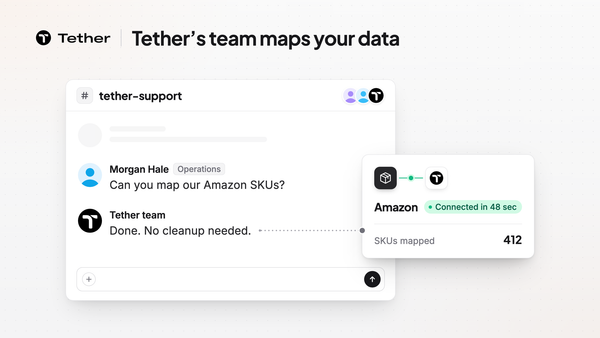
Our team handles the data migration and mapping for you. A switch from Fishbowl to Tether takes weeks, not months. One brand we moved off Fishbowl was live in under a month.
We do not want a switch to turn into a project that eats the rest of your year.
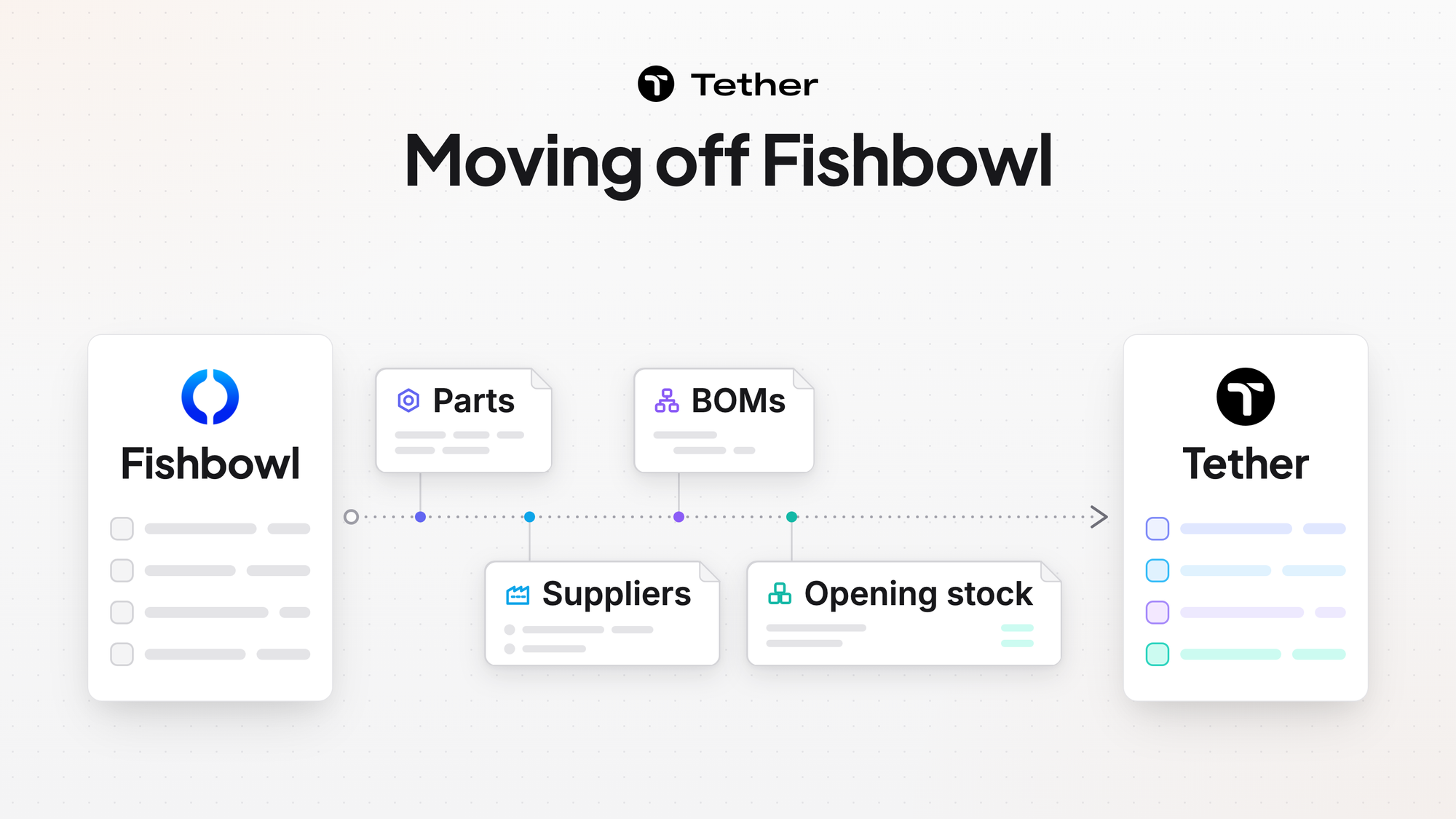
That brand moved in three steps.
- Their team exported parts, suppliers, and BOMs from Fishbowl and our team loaded them.
- A second export let their team try real work in Tether while Fishbowl kept running.
- A final export set their opening stock and then they switched.
Sales history loads from your Fishbowl exports. You do not need a data cleaning project before any of this starts.
Every plan includes a dedicated Slack channel or email for support and optional weekly 30-minute calls during onboarding. Requests raised in the Slack channel during onboarding often ship within days.
Talk to us about your timeline and what you would want to move first.
FAQ
Is Tether a Fishbowl alternative or an add-on to Fishbowl?
Tether works as either one. A brand can replace Fishbowl with Tether for inventory, purchase orders, lots, and production. A brand that keeps Fishbowl can connect it to Tether and add demand and supply planning on top. Tether is modular and can be a full ERP or sit on top of existing ERPs and WMSs without replacing them.
Does Fishbowl include demand forecasting?
Fishbowl's pricing page lists demand forecasting as an add-on on the Growth plan and lists demand forecasting and planning as included on the Scale plan. Fishbowl's manufacturing page says demand forecasting uses historical sales data and trends to predict future inventory needs. Fishbowl also says its forecasting helps set reorder points and draft purchase orders. Plans can change and the pricing page has the current list.
Does Tether connect to QuickBooks and Xero?
Tether does not connect to QuickBooks or Xero today. Both integrations are coming soon along with Tether's finance and accounting features. Until then QuickBooks or Xero stays your accounting system.
How long does it take to switch from Fishbowl to Tether?
A move from Fishbowl to Tether takes weeks, not months. Tether's team connects your systems, maps your data as it is today, validates the numbers with you, and gets you live. One brand Tether moved off Fishbowl was live in under a month.
Do we have to clean up our data before moving off Fishbowl?
No data cleaning project is required before onboarding with Tether. Tether's team does the data migration and mapping from your data as it is today. Sales history comes across from your Fishbowl exports.
Can Tether track lots and trace them for an audit?
Tether tracks lots and expiration dates so the right stock ships first. Your team traces a lot in one view rather than across several reports. The inventory page covers how Tether tracks stock across locations.
Does Tether replace our 3PL or warehouse system?
Tether does not have to replace it. Tether connects to the warehouses and 3PLs you already use and decides where each order should go under routing rules you build. Teams that run their own floor can also use Tether for pick, pack, ship, and scan. The order management page shows how routing works.
Does Tether charge per user?
Tether has no per-user fees. It also has no usage fees, no data fees, and no onboarding fees.